Cord-cutters in Canada are growing fast. Over 3.8 million Canadian households have dropped traditional cable since 2020 — and most of them turned to IPTV apps like IPTV Smarters Pro to replace it paired with a reliable Canadian IPTV service
But is IPTV Smarters really worth using in 2026? Or are there better options for Canadians?
We tested the app across multiple devices, read hundreds of Reddit threads and Trustpilot reviews, and compared it against every major competitor. Here is everything you need to know.
IPTV Smarters Pro: What Is It?
IPTV Smarters Pro is a media player application — not an IPTV service itself. It lets you stream live TV, VOD, and series by connecting it to a third-party IPTV subscription.
You bring your own IPTV provider. The app simply plays the content.
It supports three connection methods: M3U URL, Xtream Codes API, and External Player. This makes it compatible with virtually every IPTV provider on the market.
The app was developed by Whmcs Smarters and is available on Android, iOS, Firestick, Samsung TV, and more.
It is currently one of the most downloaded IPTV players globally — but popularity does not always mean it is the best fit for Canadian users specifically.
How to Use IPTV Smarters Pro in Canada
Using IPTV Smarters Pro in Canada is a two-step process.
Step 1: Get a reliable Canadian IPTV subscription that provides you with an M3U URL or Xtream Codes login.
Step 2: Enter those credentials into the IPTV Smarters Pro app.
Without a subscription, the app shows nothing. It is purely a player.
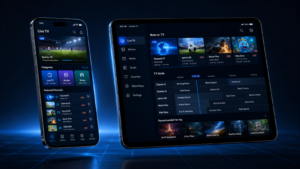
Once connected, you access your channel list, EPG (electronic program guide), VOD library, and series section directly inside the app interface.
Canadian users should look for a provider that includes TSN, Sportsnet, CBC, CTV, and RDS as a baseline.
IPTV Smarters Review: What Do Users Actually Think?
The app has mixed-to-positive reviews across platforms. Here is a breakdown by device.
IPTV Smarters Firestick Reviews
On Amazon’s own review section, IPTV Smarters holds a 3.6/5 rating with over 4,000 ratings as of early 2026.
The most common complaints: buffering during peak hours, UI freezing after long sessions, and EPG sync issues.
The most common praise: easy setup, clean interface, and broad device support.
Reddit’s r/IPTV community frequently recommends TiviMate over Smarters for Firestick — we will cover that comparison below.
IPTV Smarters Apple TV Review
The Apple TV version is more limited than the Android or Firestick versions.
Several features — including the multi-screen view — are unavailable on tvOS. User reviews on the App Store average 3.2/5, with complaints about crashes and missing EPG data.
For Apple TV users, many in the Canadian IPTV community recommend using Flex IPTV or GSE Smart IPTV instead.
IPTV Smarters Firestick Review
Installation on Firestick requires sideloading via Downloader since the app is not on the Amazon Appstore in Canada.
Once installed, performance is acceptable on Firestick 4K and 4K Max. On older Firestick Lite models, the app can run slowly with larger channel lists.
The Firestick experience is functional — but not the smoothest IPTV player available for that device.
IPTV Smarters Plus Review
IPTV Smarters Plus is the upgraded paid version of the app, offering additional features like:
- Multi-screen viewing (up to 4 streams simultaneously)
- Parental controls
- Advanced EPG layout
- External player support
The upgrade costs a one-time fee and is worth it if you use the app daily across multiple rooms or devices.

What Is the IPTV Smarters Price?
IPTV Smarters Pro itself is free to download on Android and Firestick.
The iOS version requires a one-time purchase of approximately $4.99 USD on the App Store.
IPTV Smarters Plus (the premium version with extra features) costs around $5.99 USD as a one-time in-app purchase on Android.
Important: These are app prices only. Your IPTV subscription is a completely separate cost — typically between $10 and $20 CAD/month depending on your provider . see our current Canadian IPTV plans

How to Install IPTV Smarters Pro
IPTV Smarters Install Firestick
- Open your Firestick and go to Settings → My Fire TV → Developer Options
- Enable Apps from Unknown Sources and ADB Debugging
- Install the Downloader app from the Amazon Appstore
- Open Downloader and enter:
https://www.iptvsmarters.com - Download and install the APK
- Open the app and enter your IPTV credentials
This process takes under 5 minutes. The Downloader method is the standard approach used by virtually every Canadian IPTV user on Firestick.
IPTV Smarters iOS
- Open the App Store on your iPhone or iPad
- Search for “IPTV Smarters Pro“
- Purchase and download the app (~$4.99 USD)
- Open the app → tap “Add New User”
- Choose your login method (M3U URL or Xtream Codes)
- Enter your subscription credentials and tap “Add User”
IPTV Smarters Android
- Open the Google Play Store
- Search for “IPTV Smarters Pro”
- Download and install (free)
- Open → Add New User → enter M3U URL or Xtream Codes login
- Wait for channels and EPG to load
Android gives the most complete version of the app with all features unlocked at no extra cost.
IPTV Smarters Samsung TV
Samsung Smart TVs (Tizen OS) do not support IPTV Smarters Pro natively through the Samsung app store.
To use it on a Samsung TV, you have two options:
Option 1: Use a Firestick or Android TV box plugged into your Samsung TV’s HDMI port.
Option 2: Samsung TVs from 2018 and newer support sideloading via developer mode — but this process is technical and not recommended for non-technical users.
Most Canadian users with Samsung TVs use a Firestick as the simplest solution.
IPTV Smarters Pro Guide: How to Use It
Once installed and connected to your subscription, here is how to navigate the app.
- Live TV tab: Browse channels by category (Sports, News, Entertainment, etc.)
- VOD tab: Access your provider’s movie library
- Series tab: Browse TV series included in your plan
- TV Guide (EPG): Shows what’s currently on and what’s coming next
You can also create a favorites list, set parental controls (Smarters Plus), and switch between video players.
IPTV Smarters Lite vs Pro
| Feature | Smarters Lite | Smarters Pro |
|---|---|---|
| Multi-screen | ❌ | ✅ (Plus only) |
| EPG support | Basic | Full |
| External player | ❌ | ✅ |
| Parental controls | ❌ | ✅ |
| Price | Free | Free / $5.99 Plus |
Verdict: Smarters Lite is acceptable for casual use. If you stream daily, Pro is the better option.
IPTV Smarters Pro vs IPTV Smarters Player
“IPTV Smarters Player” is the rebranded version of the app on certain platforms. It is the same underlying software with minor UI differences. There is no meaningful functional difference between them.
IPTV Smarters Pro vs TiviMate
This is the most important comparison for Canadian IPTV users.
| Feature | Smarters Pro | TiviMate |
|---|---|---|
| Interface | Average | Excellent |
| EPG quality | Good | Outstanding |
| Stability | Moderate | Very stable |
| Price | Free / $5.99 | $4.99/year |
| Available on iOS | ✅ | ❌ |
| Available on Firestick | ✅ | ✅ |
Verdict: TiviMate wins on Firestick and Android. Smarters Pro is better if you need iOS support or use multiple devices.
IPTV Smarters Pro vs IBO Player
IBO Player is a simpler alternative with a cleaner interface, but a smaller feature set.
It lacks multi-screen support and advanced EPG management. For Canadian users who want simplicity over features, IBO Player is fine. For power users, Smarters Pro is the better choice.
IPTV Smarters Pro vs Smart IPTV
Smart IPTV is designed primarily for LG and Samsung Smart TVs. It has a one-time fee (~$5.99 USD) and works directly on the TV without a separate streaming device.
If your goal is to run IPTV natively on a Smart TV, Smart IPTV is the better tool. For multi-device flexibility, Smarters Pro wins.
Need more help? Check our full IPTV installation guide for Canada
Canadian IPTV Subscription: Which One to Choose?
IPTV Smarters Pro is only as good as the subscription behind it.
A poor provider means buffering, missing channels, and broken EPG — regardless of which app you use.
For Canadian users, the right subscription should include:
- ✅ Canadian channels (CBC, CTV, TSN, Sportsnet, RDS)
- ✅ 4K and HD streams
- ✅ Stable uptime during NHL and NFL games
- ✅ VOD library with French and English content
- ✅ Responsive customer support

Whether you’re in Ontario, Quebec, or Brampton — our service covers all of Canada.